PKGame99 Registration and Login | Easy Step-by-Step Guide
Creating an account is the first step for anyone who wants to access PKGame99. The process is designed to be simple, so new users can complete it from a mobile phone without complicated instructions. After opening an account, users can return to the platform through the login page whenever they need access to their profile.
This guide explains the PKGame99 registration and login procedure in clear steps. It also includes useful account-security tips for users who are accessing the platform for the first time.
Getting Started With PKGame99
Before registering, users should make sure they are accessing the correct PKGame99 website or application. Using an unofficial source can create unnecessary security risks.
A reliable internet connection is also recommended. A stable connection can help prevent problems while submitting registration information or completing account verification.
Once everything is ready, the account creation process can begin.
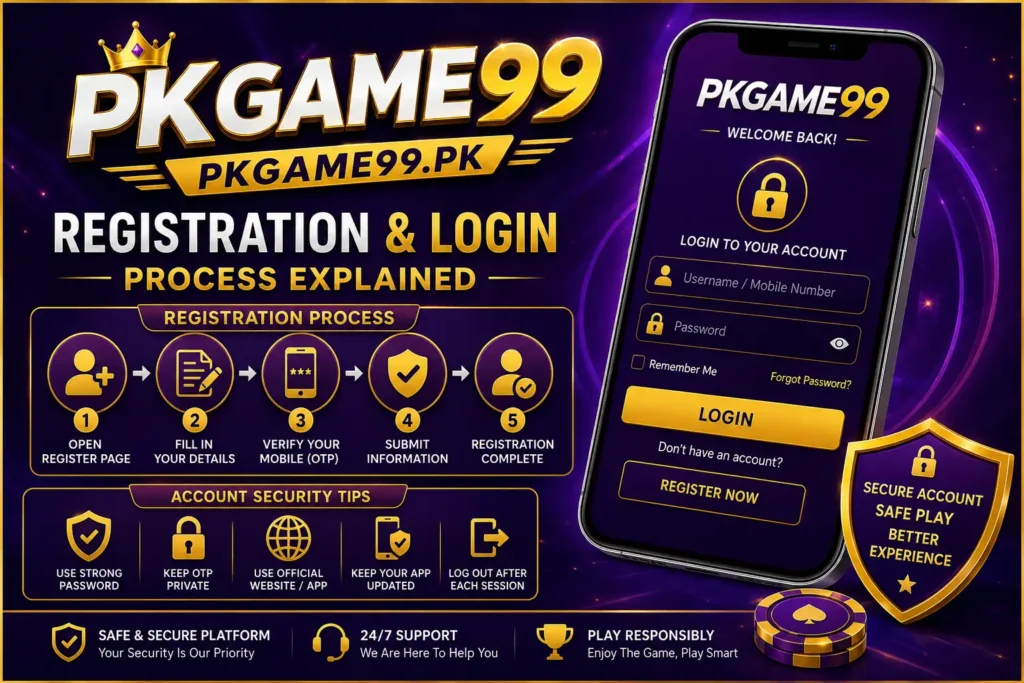
PKGame99 Registration Process
New users need to create an account before they can access account-related features. The registration form may request different details depending on the current version of the platform.
Open the Registration Page
- Start by opening the trusted PKGame99 website or application. On your mobile screen, find Register or Sign Up.
- Tap the option to open the account creation form.
Provide the Required Details
- The registration page may ask for information such as a mobile number, username, and password. Enter the requested information carefully.
- Use genuine details where required. Also, create a password that is difficult for other people to guess.
- Avoid using common combinations such as your name or simple number sequences.
Check Your Information
- Before submitting the form, review every field.
- A small mistake in your mobile number or other account information could cause verification or login problems later.
Complete Account Verification
- Some versions of the platform may require mobile verification. If an OTP is sent to your registered number, enter the code in the appropriate verification field.
- An OTP should always remain private. Do not send it to another person, even if they claim to represent customer support.
Finish Registration
- After entering the required information and completing verification, submit the registration form.
- If the details are accepted, your account should be created. Keep your username and password somewhere secure so they are available when you need to log in.
PKGame99 Login Procedure
After registration, returning users can access their accounts through the login section. The process normally takes only a few moments.
Launch the Platform
- Open the PKGame99 application or visit the trusted website. Take a look for the login area on the main page.
- Enter Your Credentials
- Type the username, mobile number, or other requested account information. Next, write the correct password that you have selected.
- Take a moment to check the information before continuing.
Complete Additional Verification
- If the platform displays an additional security check, complete it as instructed. Some accounts may require an OTP or another verification step.
- Never provide private verification codes to other people.
Access Your Account
- Once the submitted information has been accepted, tap the Login button.
- You should then reach your account area and see the features currently available to your account.
Forgot Your PKGame99 Registration Password?
A forgotten password does not necessarily mean you need to create another account. First, check the login page for a Forgot Password or similar recovery option.
Follow the instructions provided by the official platform. Depending on the available recovery system, you may need to confirm your registered mobile number or complete another identity check.
Common Registration Problems
New users can sometimes experience difficulties during account creation. For example, a weak internet connection may interrupt the registration form or delay an OTP.
If registration does not work, check the following:
- Make sure your internet connection is stable.
- Recheck the information entered in every field.
- Confirm that your mobile number is correct.
- Wait briefly if a verification message is delayed.
- Use the latest available version of the application.
- Restart the app if the registration page stops responding.
If the problem remains, contact the platform through its official support method.
Common Login Issues
Login errors can happen for several reasons. Forgetting your password or entering an incorrect password is one of the most common causes. Therefore, carefully check your credentials before trying again.
If you still cannot access the account, use the official password-recovery feature. Also, make sure you are using the correct website or application rather than an unofficial copy.
Users should avoid repeatedly entering random passwords because this could trigger additional account-security checks.
How to Keep Your Account Safe?
Protecting an online account is just as important as creating one. Simple security habits can reduce the chance of unauthorized access.
Use a unique password that is not shared with other websites. Keep your OTP and verification codes private. Do not enter account information after clicking suspicious links sent through unknown messages.
It is also better to avoid logging into personal accounts on public computers. If you use a shared device, log out after finishing your session.
Additionally, keep your phone’s operating system and security software updated.
Final Words
The PKGame99 registration process starts with opening a trusted source and selecting the sign-up option. Users then provide the required information, complete any verification, and submit the form. Once the account is active, they can use their registered credentials to access the login page.
For a better experience, keep your account details private and use only trusted sources. Always review the platform’s current terms, payment rules,age requirements, and applicable laws before using any feature that involves money. Online gaming can carry financial risks, so users should make careful and responsible decisions.